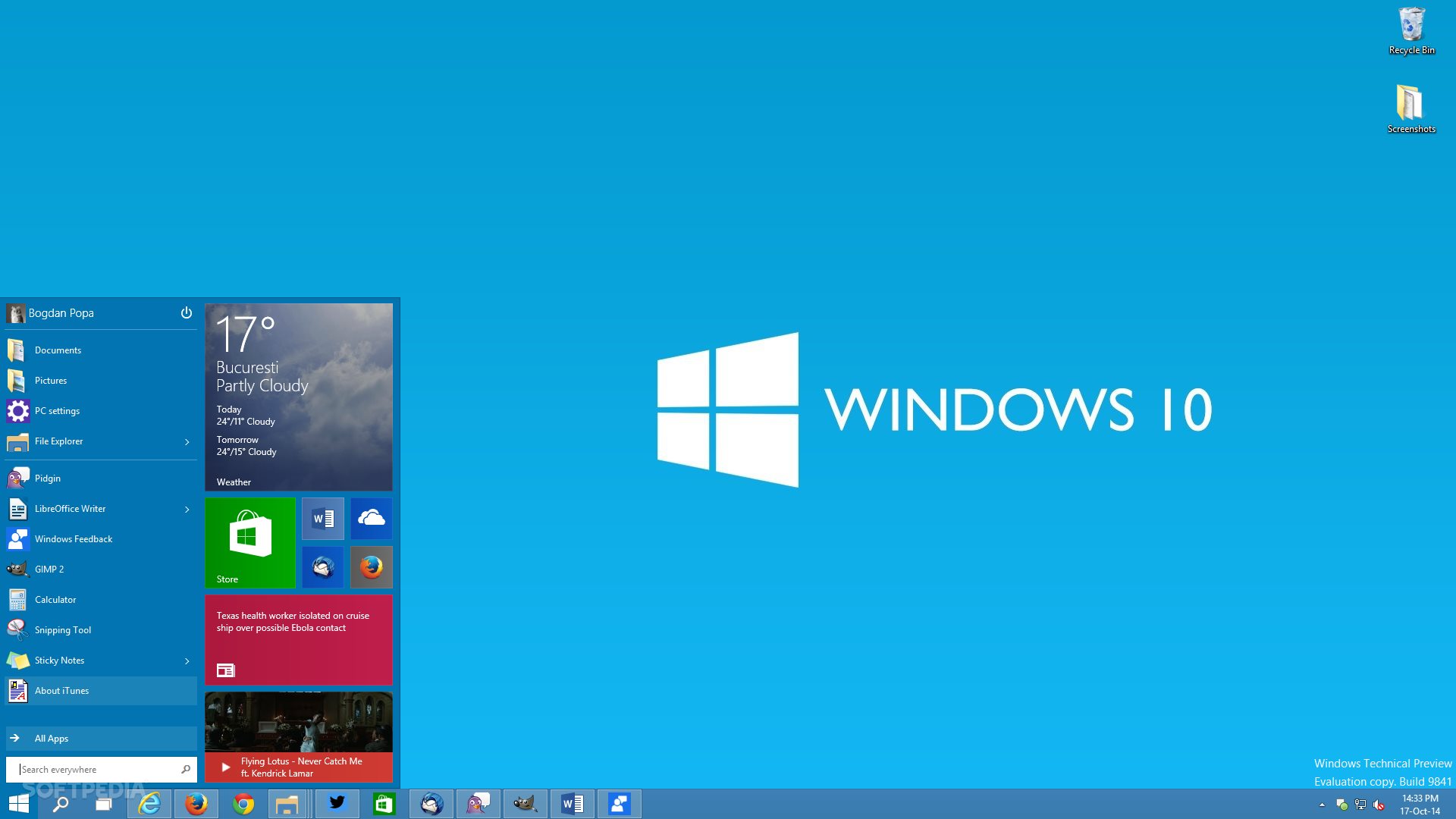
Microsoft is close to launching its new version of the Windows operating system and, as the technology advances at large steps, the system will also have to adapt to technological innovations.
I've given you a summary of everything we already know about the new operating system so you can get into what the company is preparing.
Contents
Windows 10
Windows 10 should arrive with a very intense visual reshape, leaving only the operating system features, such as buttons and function bars. The versions ofpreviewavailable to developers (or for those registered inWindows Insider Program) already present such changes, with changes in the main icons and the return of the so acclaimed start menu.

Windows 10 will be a multi-platform system, as well as Windows 8, but with differences in system formulation. Windows 8 for smartphones, for example, is a system apart from Windows 8 for desktops and tablets, for example. It's a different system, developed with a different architecture.


Not Windows 10. At first, Microsoft announced that the systems will be basically the same, only adapted for each type of hardware and, no longer, different systems as they were.

Cortana
Windows Phones have a personal assistant, similar to the iPhone Siri, and its name is Cortana. This personal assistant is triggered by voice commands, dispensing the use of the physical smartphone keyboard, bringing more practicality to some simple tasks, such as making calls or typing messages.

It is a very useful function and will now be available on all versions of Windows 10. What was exclusive to smartphones will now also be on desktops and tablets.

Edge
We already knew that Microsoft was working on a new web browser and its code name was Spartan. Several images and tests performed with the browser were released, giving the impression that Microsoft was committed to clearing the image left by (so hated) Internet Explorer.

And at the conference held by the company on the day (29)(BUILD 2015), the browser was officially presented, along with its new name and icon.

Did you remember anything? So despite efforts to clear the tracks of Internet Explorer, the company decided that this will be the official icon of Edge, its new browser.
[youtube https://www.youtube. with/watch?v=iH1D31YHsgY]
Edge brings a new rendering engine to the pages, whose name is EdgeHTML, and runs port extensions of Firefox and Chrome.
Applications and Compatibility
Also, at BUILD 2015, Microsoft talked about Windows 10 applications and how it will do so that there is compatibility between apps for Android. Yes, you read right, the company wants to bring Android apps to Widows 10 natively.

Applications can be written using Java and C++ codes. Another interesting news is that apps written with Objective-C for iOS can also be ported to Windows 10. According to the company, Candy Crush Saga available for Windows Phone in Windows Store is the same as iOS with a portion of the modified code.
In addition, Microsoft has announced two new SDK’s for development of applications suitable for Windows. The first is used to develop applications running in the classic Windows 8 and 7 environment. The second will be an alternative to packaging web pages, giving native Windows functions such as notifications, dynamic blocks and payment system.
The developer's news is many and includes the operator's (post and prepaid) charge support for purchase of apps, video ads (more profitable) and an affiliate program for the Windows store.
The Windows App Store

The Windows Store will be unified, i.e. one, available for desktops, tablets and smartphones. Applications and multimedia content, such as movies, music and books, will be available on all platforms.
Continue for Phones
Windows 10 for smartphones will bring a functionor sonew that will allow its use as a computer. The smartphone will be able to connect to a TV and, with a keyboard and a wireless mouse, can be used as a desktop. Below you can see the presentation video with the novelty that, in my view, seems very promising.
[youtube https://www.youtube.com/watch?v=-oi1B9fjVs4&w=560&h=315]
The news is many and there is still plenty of water to roll until the official launch of the system, scheduled for the fourth quarter of this year, but we will be watching the news.
With information fromMicrosoft, User Manual, TecnoblogandTheVerge.


Leave a comment